Answer course questions
Share approved course details, batch timings, syllabus coverage, fees and demo-class information at any time.
Explain your courses, fees and batch timings. Capture demo-class requests with the context your admissions team needs.
30 days on Growth. No card required.
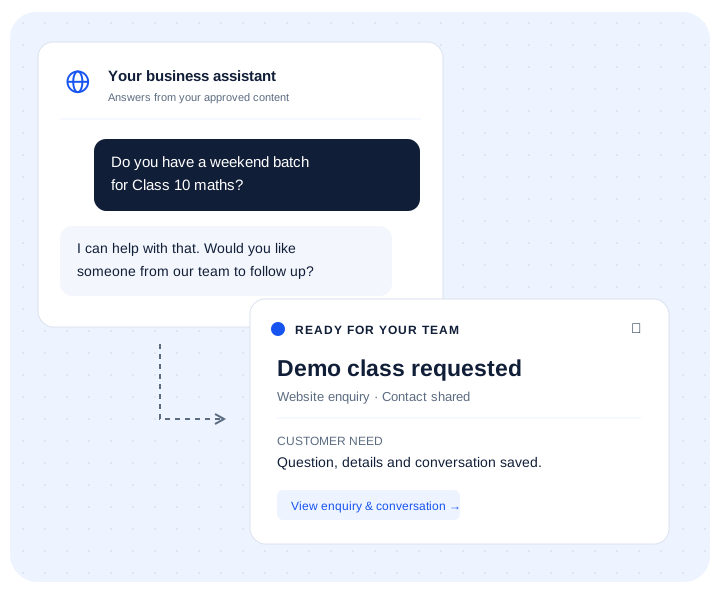
Share approved course details, batch timings, syllabus coverage, fees and demo-class information at any time.
Record the course or grade a visitor asked about, along with demo-class and callback interest.
Every lead reaches Serviti Lead CRM with the course question and recent chat context.
The AI agent handles the first enquiry while Serviti Lead CRM keeps the student's or parent's interest, contact details and conversation together for your counsellors.
Parent: My daughter is in Class 10. Do you have a weekend maths batch and can she attend a demo?
Agent: It answers from the approved course and batch information, then captures the student's grade, preferred timing and callback details for a counsellor.
The agent can explain approved course information and capture interest. It should not guarantee admission, examination results, teacher availability or a place in a batch. Your authorised staff confirms eligibility, capacity, fees and enrolment.
Running admission campaigns? Connect Facebook enquiries, Instagram leads and QR-code campaigns to the same follow-up flow.
Yes. Train it on the approved content for the courses, grades and batches you offer.
No. Your staff confirms eligibility, batch capacity, fees and enrolment details.
Yes. It can capture the course and callback or demo-class intent for your counsellors.
Add your website, course documents or fee information and start testing it.