AI Answering Service for Clinics | Serviti AI

Answer common questions

Handle timings, location, services, doctor availability, appointment process and preparation questions from clinic-approved content. Patients get answers immediately instead of waiting on hold while your staff juggles the front desk and the phone line.

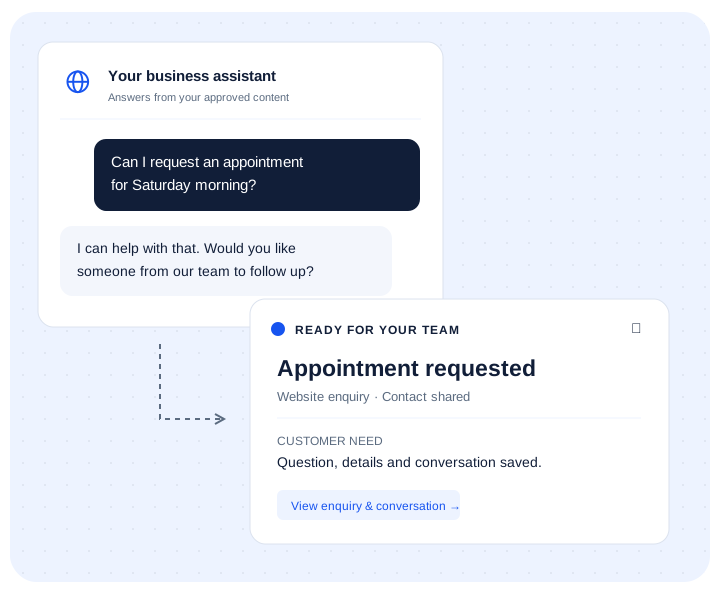
Capture appointment intent

Collect name, phone, service interest, preferred timing and callback intent so the front desk can act quickly. Your team sees the requested service and preferred slot before picking up the phone, so confirming takes one call, not three.

Support existing patients

Use HelpDesk tickets for post-visit questions, document requests or service concerns that need team follow-up. A post-visit question becomes a tracked ticket with an owner and a status — not a sticky note or an unread voicemail.

Patients who can't get a quick answer about appointment availability frequently call a different clinic instead of waiting on hold.

Flow

From enquiry to front-desk follow-up.

1Patient asksWebsite, WhatsApp, QR code, ad or shared link.
2AI respondsApproved service, timing and location answers are shared instantly.
3Intent is capturedAppointment, callback or service intent becomes a lead.
4Front desk follows upYour team gets context before contacting the patient.
AI answering service for clinics

Answer routine clinic questions without turning the agent into a doctor.

Serviti handles approved administrative and service information, captures appointment intent and gives the front desk a clear record to follow up.

Questions patients can ask

  • Which specialties are available?
  • What are the clinic and doctor timings?
  • How do I request an appointment?
  • Where is the clinic and is parking available?
  • What should I bring for the visit?

Example appointment enquiry

Visitor: Do you have a dermatologist available on Saturday afternoon?

Agent: It shares approved specialty and timing information, then asks for the preferred time and contact details so the front desk can confirm the doctor and appointment.

What the front desk receives

  • Requested service or specialty
  • Preferred clinic, date and time
  • New or existing patient context if provided
  • Name and callback details
  • The conversation and original source
Setup checklist

Use approved operational information, not clinical guesswork.

Content to add

  • Services, specialties and doctor profiles
  • Clinic hours, locations and contact details
  • Appointment and cancellation process
  • Published fees and accepted payment guidance
  • Approved preparation and document instructions

Clinical and emergency boundary

The agent should not diagnose, prescribe, interpret symptoms or decide whether care is urgent. Configure clear emergency guidance and route medical, treatment-suitability and post-procedure concerns to qualified clinic staff.

Keep the next step connected with WhatsApp lead capture and tracked support tickets.

Clinic FAQ

Common questions from clinic teams.

Can it handle appointment booking directly?

It captures the patient's preferred timing and service interest, then your front desk confirms — it doesn't auto-book without human confirmation, keeping scheduling accurate.

Is patient data handled securely?

Confirm current data handling and compliance practices with the Serviti team for your specific regulatory requirements.

Can it handle questions about specific doctors or specialties?

Yes, train it on doctor availability and specialties and it routes questions accordingly.

What about existing patients with post-visit questions?

Use the HelpDesk ticket feature — it creates a tracked support ticket instead of leaving a message in limbo.

Create a clinic AI agent trained on your services.

Add your website or documents, name your agent and start testing it immediately.